Race Craft - Kids Car Games
- 4.6
- Rating
- 10.00M
- Installs
- Free
- Price

 Analysis by App-foxy
I spent time with Race Craft - Kids Car Games as a light, child-friendly racing game, and my first impression was that it is less about beating everyone to the finish line and more about making a race feel like something a child helped create. That difference matters. Children who enjoy cars but lose interest in complicated driving games may find the building side more inviting than a traditional racing menu.
The game comes from Budge Studios and is aimed at children, especially boys and girls from four to twelve years old. It is free to install, carries an Everyone age rating, and belongs to the racing category. Its store short description is simply “Race Craft,” but that brief label does not really explain the appeal: the interesting part is the combination of driving and track construction, rather than speed alone.
How the racing and building experience works together
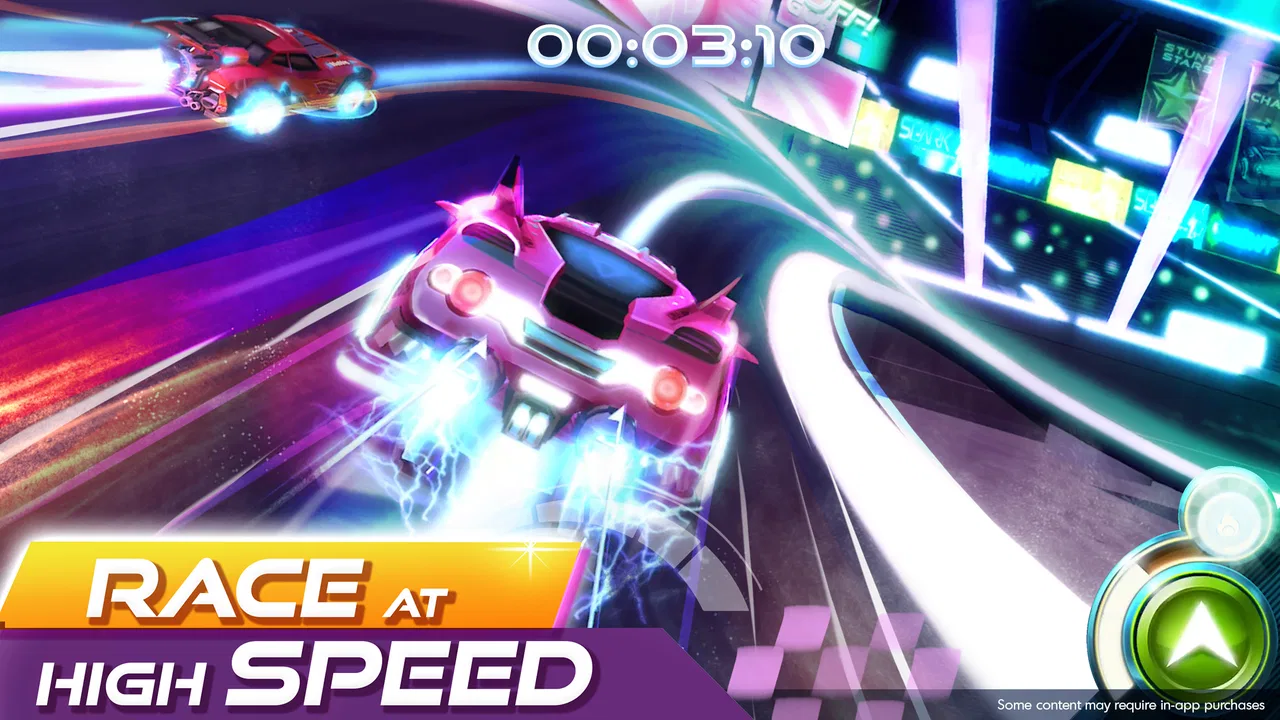
The central idea is easy to understand. A child can race, then spend time shaping the kind of course they want to drive. In my experience, that creates a more playful loop than a standard sequence of fixed circuits. The child is not only reacting to a course designed by someone else; they are also deciding what a course should feel like before trying it.
You May Also Like

 Blood Strike: 2.5 Anniversary
Blood Strike’s Loadouts Turn Every Drop Into a Tactical Gamble
A close look at Blood Strike’s custom loadouts: how fast access to signature weapons reshapes its battle royale rhythm, rewards preparation, and narrows the gap between fights.

 Pandora - Music & Podcasts
Pandora’s Music Is Easy to Start, but Harder to Recover
Pandora’s strength is its low-effort path from a seed to a station. Its weak spot is how much confidence it asks you to place in connection, setup, and quiet recovery.

 8 Ball Pool
 Is Built on Rivalries, Rematches, and Routine
A close look at the rivalries, rematches, shared routines, and unanswered safety questions that turn a quick pool match into a persistent mobile community.

 Samsung Music
’s Quiet Strength Is Playing What You Already Own
Its reach comes less from spectacle than from dependable access to a personal library. That simplicity is both the app’s strongest retention engine and its ceiling.

 AccuWeather: Weather Radar
AccuWeather Review: A Quick, Clear Forecast for Everyday Decisions
For everyday plans, the best forecast is the one you can understand quickly. AccuWeather makes rain timing, radar, and local conditions easy to act on, with a few trade-offs.

 Hill Climb Racing
Why Hill Climb Racing Still Turns Crashes Into One More Run
A tiny car, a bumpy hill and one more upgrade: Hill Climb Racing keeps resurfacing because its simple chaos makes every near-miss feel personal.
More From Our News Desk



That makes the game particularly suitable for short sessions. A child can build or adjust a track, test it, notice where the race becomes awkward, and try again without needing to commit to a long campaign. This is useful after school or during a quiet break, when the goal is entertainment rather than a demanding competitive challenge.
The driving itself is approachable. A younger player can concentrate on the visual flow of the course instead of learning a complicated set of controls. That simplicity is a strength for the intended audience, although older children who want realistic handling, deep tuning, or serious competition may find it limited compared with more advanced racing games.
The track-building element also gives parents a practical way to see what their child is doing. Instead of watching a purely repetitive race, I could ask why a particular route was chosen, what makes a turn difficult, or how the course could be made more fun. Those small questions turn the game into a shared activity without making it feel like a lesson.
A useful way to introduce it to a child
I would not begin by handing it over and expecting a child to discover the best rhythm immediately. A better first session is to build one simple route together, race it once, and then change one part of it. That makes the cause and effect clear: a different track design changes the driving experience.
For a younger child, I would keep the first course uncomplicated and focus on recognition rather than winning. Ask the child to remember one section they liked and one section they would change. Older children can use the same process more independently, treating each attempt as a small design experiment.
One non-obvious benefit is that the building stage can reveal whether the child prefers creativity or competition. Some children will spend most of their time constructing and only briefly race. Others will ignore design details and want repeated runs. The game accommodates both tendencies better than a fixed-track racer, at least for children who enjoy cars and making choices.
What a normal everyday session looks like
Imagine a child waiting while dinner is prepared. A short session can start with a previously made course, followed by one race and a small redesign. There is no need to plan a large play period or remember a complex story. The child can stop after testing one idea, then return later to continue experimenting.
That flexibility is one of the strongest reasons to consider it. It suits families looking for an activity that can be picked up and put down easily. It is less suitable when the child expects a long narrative, a large competitive community, or a detailed simulation of real driving.
I also found that the building feature changes the way failure feels. In a conventional racer, losing can feel like a direct judgment of driving ability. Here, an awkward race may simply suggest that the course needs adjusting. That softens frustration for younger players, though it also means the game may not provide the intense sense of mastery that comes from learning a difficult fixed circuit.
Value when the download is free
The basic financial entry point is clear: the game is free to download. That makes it easy to try before deciding whether it belongs on a child’s device. The listed in-app purchases range from $0.99 to $14.99 per item, so the free starting point should not be confused with an entirely purchase-free experience.
For me, the sensible way to judge its value is to begin with the free access and watch how the child actually uses it. If the child enjoys building tracks and returns to the game without being pushed, the free version may already provide enough value for occasional play. If interest disappears after a few sessions, there is little reason to spend more simply because optional purchases are available.
I would also make the purchase decision together with the child rather than treating every locked or optional element as necessary. The useful question is not “Can we unlock everything?” but “Does this purchase add something the child will genuinely use?” Since individual items can cost as much as $14.99, that distinction is important for a family budget.
The game’s 4.7 average from around 32 thousand ratings suggests that many players respond positively to the concept. It has also passed 10 million installs, which indicates broad reach. Those figures are encouraging, but they do not replace a child’s own reaction. A popular game can still be the wrong fit for a child who wants realism, story, or head-to-head competition.
In value terms, the strongest part is not simply the number of races. It is the possibility of replaying a self-created route and changing the experience through design. That gives the free download a clearer purpose than a basic demo. The trade-off is that children who do not enjoy construction may experience the building layer as an extra step before the racing they actually want.
Where the game earns its place
Race Craft works best when the child enjoys both vehicles and making things. The track editor, or more broadly the construction side of the experience, gives the game a reason to remain interesting after the novelty of the first race fades. Instead of consuming one fixed set of courses, the child can keep asking what happens when the route is changed.
That is a meaningful advantage over many ordinary arcade racers for children. A fixed-track game may be easier to understand at first, but its replay value depends heavily on repeated races, unlocks, or competition. Here, replay comes partly from the child’s own imagination. The quality of that replay will vary from one player to another, but the creative involvement is real.
Another strength is the low barrier for family participation. A parent does not need to be a racing-game expert to help. You can discuss where to place a turn, whether a route feels too easy, or which design looks most exciting. This gives the game more shared-play potential than an app that is built only around reflexes.
The Everyone rating also makes it a more comfortable choice for families seeking age-appropriate racing entertainment. I would still supervise younger children around any in-app purchase options, especially because the available items span a noticeable range in price. The age rating describes suitability, not a substitute for household purchase settings or parental involvement.
The trade-offs I noticed
The same simplicity that helps beginners can disappoint experienced players. If you are looking for realistic acceleration, technical cornering, vehicle setup, or a serious championship structure, this is not where I would start. A dedicated racing simulator or a more advanced arcade racer will offer a deeper driving challenge.
There is also a possible mismatch between the advertised age range and individual ability. A four-year-old may need help understanding the construction choices and the relationship between design and driving. A twelve-year-old may enjoy the creative side but expect more speed, competition, or complexity than the game provides. The broad age range should therefore be treated as a guide, not a guarantee that every child will find the same depth.
Another limitation is the risk of creative repetition. Building tracks sounds endlessly open, but a child’s interest may depend on how many meaningful variations they can make and how rewarding each test feels. If the child quickly settles on one favorite design, the experience can become more routine. That is not a flaw unique to this game, but it is worth considering when comparing it with racers that offer structured events or changing challenges.
In-app purchases are the clearest point requiring adult attention. The game is free at the starting line, yet optional items cost between $0.99 and $14.99 each. I would decide in advance whether purchases are allowed, and I would avoid presenting them as required for enjoyment. The best value comes when the child already enjoys the free experience and a specific purchase has a clear purpose.
How it compares with familiar alternatives
Compared with a conventional children’s racing game built around fixed tracks, this one gives more room for personal creation and less emphasis on simply completing a preset sequence. That makes it a better choice for a child who asks to design things, change routes, and test ideas. A fixed-track alternative may be better for a child who wants immediate racing with no construction stage.
Compared with a realistic racing game, the appeal here is accessibility rather than technical accuracy. Children can focus on the fun of a course and a car without needing to understand real-world driving behavior. Adults looking for a simulation should choose something else, while parents wanting an approachable first racing game may appreciate the gentler design.
Compared with a creative building game that has no racing focus, Race Craft gives the child a clear reason to test each creation. The track is not only something to look at; it becomes something to drive. That connection between making and using is the game’s most distinctive value, although it will not satisfy a child who wants unrestricted construction without racing rules.
Who should download it
I would recommend it to families with a child who likes cars, enjoys experimenting, and benefits from short, self-directed play sessions. It is especially appealing when the child becomes bored with repeating the same race but still wants a simple driving game. The free download makes trying it a reasonable first step, provided the adult keeps the purchase options in mind.
I would be more cautious for a child who needs a strong story, wants multiplayer competition, or measures fun through difficult victories. I would also skip it for an adult or older enthusiast seeking a serious racing experience. The game’s value is tied to accessible creativity, not simulation depth or competitive pressure.
For families with more than one child, it may work well as a turn-taking activity. One child can design a route while another tests it, then they can swap roles. That approach makes the creative decisions visible and can reduce arguments about who is simply “better” at driving. It also gives the game a social use without requiring the app itself to be treated as an esports-style racer.
Device and version details worth knowing
The game was released on March 5, 2020, and the current version is 2026.1.0. It requires Android 5.1 or later. Those details make it relevant for families using an older compatible Android device, although the actual experience can still depend on the particular phone or tablet and how comfortably a child can see and control the game.
I would install it on the device the child will really use, rather than assuming an older phone will feel equally comfortable to a tablet. Track-building and racing both benefit from clear on-screen visibility. A larger display may make design choices easier for younger players, while a smaller phone can be more convenient for quick sessions.
The developer is Budge Studios, a name associated here with a game designed for younger players rather than adult racing specialists. The rating of 4.7 and the large install base make the title easy to consider, but my practical advice remains the same: test the free experience first, observe whether the child enjoys creating as well as driving, and only then think about optional spending.
My buy-or-skip verdict
Race Craft - Kids Car Games is worth trying when creative track building is as important as racing. Its free entry point lowers the risk, and the combination of construction and driving gives it a stronger identity than a basic children’s racer. I like that a child can turn a race into a small design project, then immediately see whether the idea works behind the wheel.
I would skip it if the child wants realistic cars, a demanding progression system, or competition as the main attraction. I would also avoid buying optional items automatically. The listed purchase range means the game can remain free to try, but adults should treat paid additions as deliberate extras rather than part of the minimum cost.
My final recommendation is simple: download it for a child who likes to build, test, and revise. Spend a first session watching whether the track-making sparks ideas or feels like an obstacle. If the child keeps changing courses and asking to race again, the game has found its audience. If they only want a faster, deeper, or more competitive racer, another option will deliver better value.
FAQs for Race Craft - Kids Car Games
01What age group is Race Craft - Kids Car Games suitable for?
Race Craft - Kids Car Games is designed specifically for children aged 4 to 10 years old. It features intuitive controls and engaging gameplay that cater to young players, helping them develop problem-solving skills and creativity. The app ensures a safe and fun environment for kids to explore their love for racing.
02Are there any in-app purchases or ads in Race Craft - Kids Car Games?
Yes, Race Craft - Kids Car Games includes optional in-app purchases that allow players to unlock additional features, cars, and tracks. The app also contains ads, but these are kid-friendly and can be removed through a one-time purchase. Parents can manage purchase settings through device restrictions.
03Can Race Craft - Kids Car Games be played offline?
Race Craft - Kids Car Games offers offline play, allowing children to enjoy the racing experience without the need for an internet connection. This feature makes it a great option for travel or situations where Wi-Fi is unavailable, ensuring continuous fun and entertainment for your child.
04What educational benefits does Race Craft - Kids Car Games offer?
Race Craft - Kids Car Games is not only entertaining but also educational. It helps children improve their hand-eye coordination, problem-solving skills, and creativity. The game encourages kids to design their own tracks, fostering imagination and strategic thinking. It's a playful way to enhance cognitive development.
05Is Race Craft - Kids Car Games safe for my child to play?
Absolutely, Race Craft - Kids Car Games prioritizes child safety with its kid-friendly design and content. It avoids any inappropriate content and includes parental controls to manage gameplay and purchases. The app is crafted to provide a secure and enjoyable environment for children to explore and play.
Pros
- Engaging and colorful graphics.
- Easy controls for young players.
- Variety of cars and tracks.
- Encourages creativity and learning.
- No in-app purchases needed.
Cons
- Limited customization options.
- Repetitive music and sound effects.
- Occasional lag on older devices.
- Requires internet for some features.
- Ads can interrupt gameplay.

Race Craft - Kids Car Games
Gallery